
I ran on a True treadmill for twenty years. Likely over 15,000 miles. It was a good machine. But then it died and we could not find anyone to service it.
I then bought a Peloton because I thought it was the best treadmill at the time.
It has a longer belt. It has a running surface at 59 inches long and 20 inches wide. That is almost five feet of belt. My stride has room.
A short deck makes you feel like you are running on a suitcase. This one does not, and it climbs. 15 percent incline and it goes from 0 to 12.5 percent (4:48 per mile, which I cannot run any longer).
It is the best treadmill I have owned.
The screen was part of why I thought that. 23.8 inches, 1080p, built into the machine with the speakers, sitting where your eyes already are. It is the best screen I have ever seen on a piece of exercise equipment.
Then I found out I could not watch a show on it. That shocked me. It felt like a waste. So I hung an iPad on the machine and watched it there, on a smaller screen, while the big one sat in front of me.
Then I canceled
I canceled the membership in 2022. I felt it was a waste of money when I just wanted to run on rainy Seattle days.
I have not used Peloton’s service since. Peloton still lets you run. Their own welcome screen has a button, tucked (almost maliciously hidden) in the corner: “Try a workout or Just Run.” The belt works without All-Access. People talk about this as if the machine turns into a brick. It does not, but they make it almost seem like it.
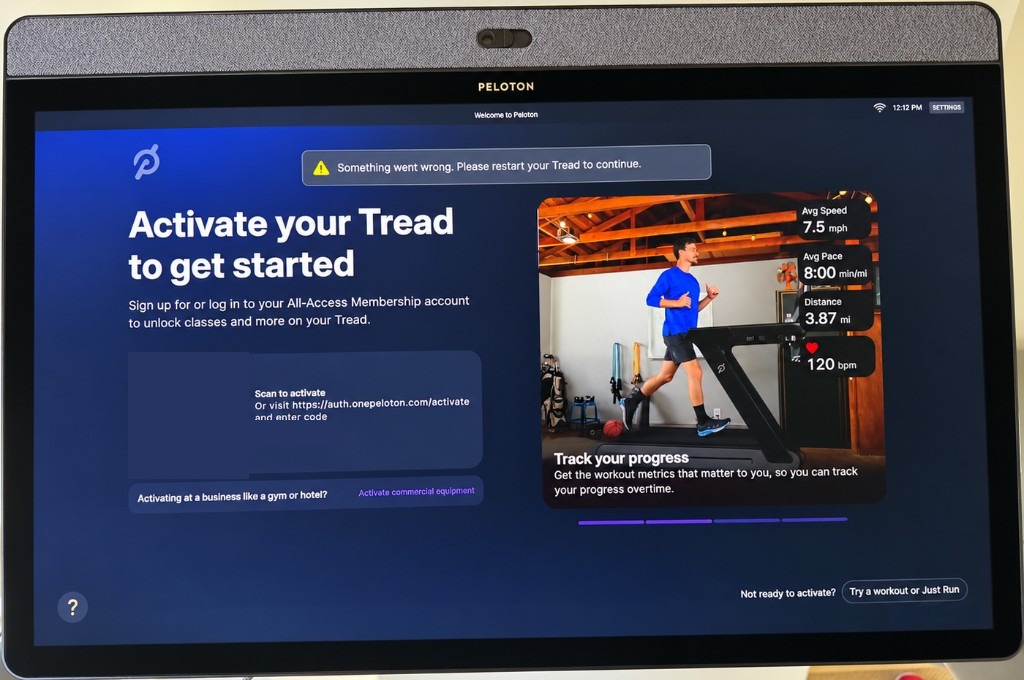
What the screen becomes is a pitch. Activate your Tread. Sign in. Enter a passcode. Dismiss the message. The page is almost entirely an advertisement for a service I do not want. The iPad stayed up for a long time. It bothered me every single run.
I did not replace the operating system
I finally fixed it, so I can watch a show while I run. I wrote a small app and made it the home screen. It is called “Watch.”
It shows the streaming apps already on the tablet. Netflix, Prime, Disney+, the rest. A bar along the bottom shows speed, incline, pace, miles, and time while the show is playing.
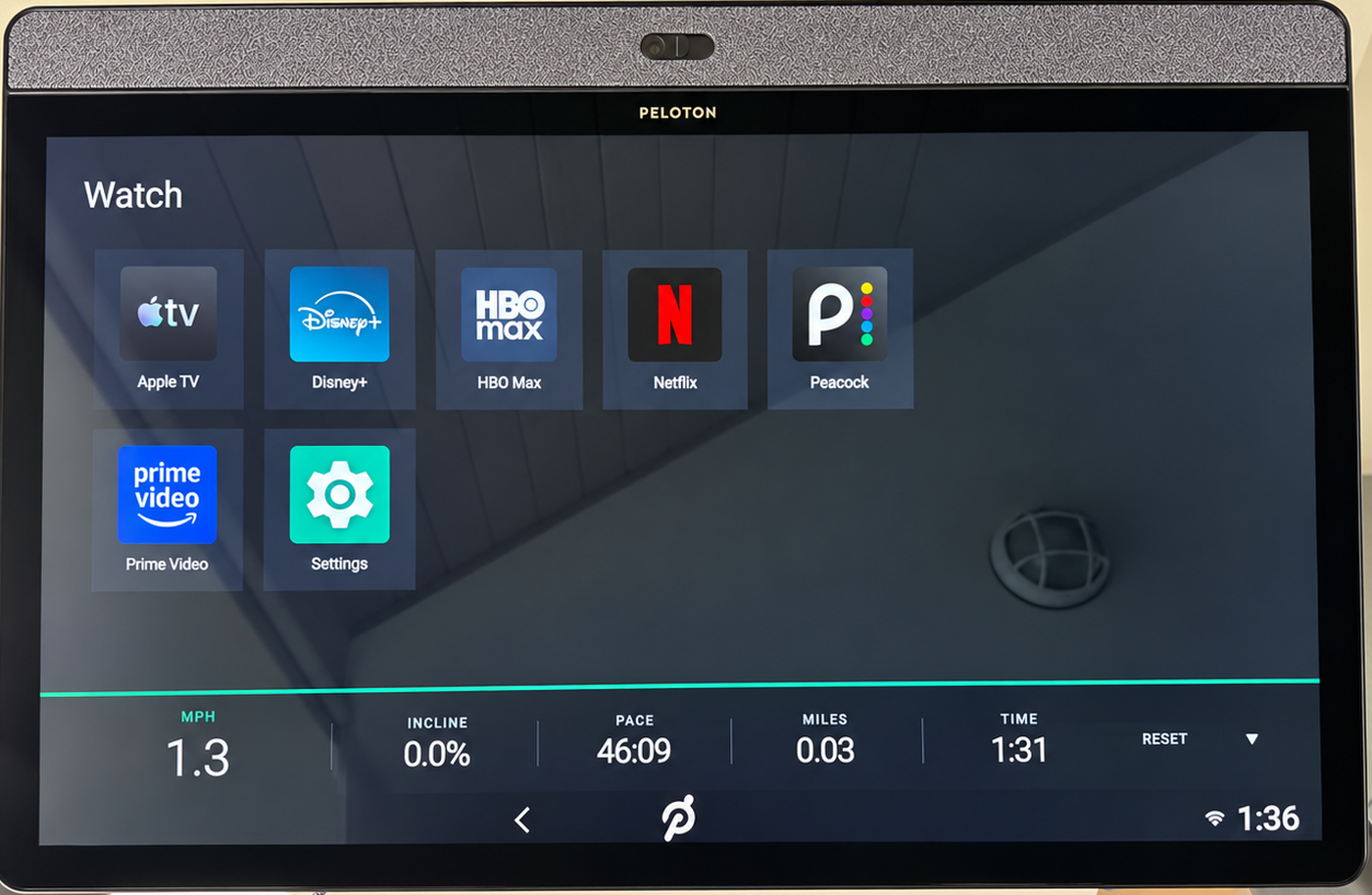
The knobs still change the speed and the incline. The red safety key still stops the belt. I did not modify the belt controller. There is a script that puts Peloton’s screens back.
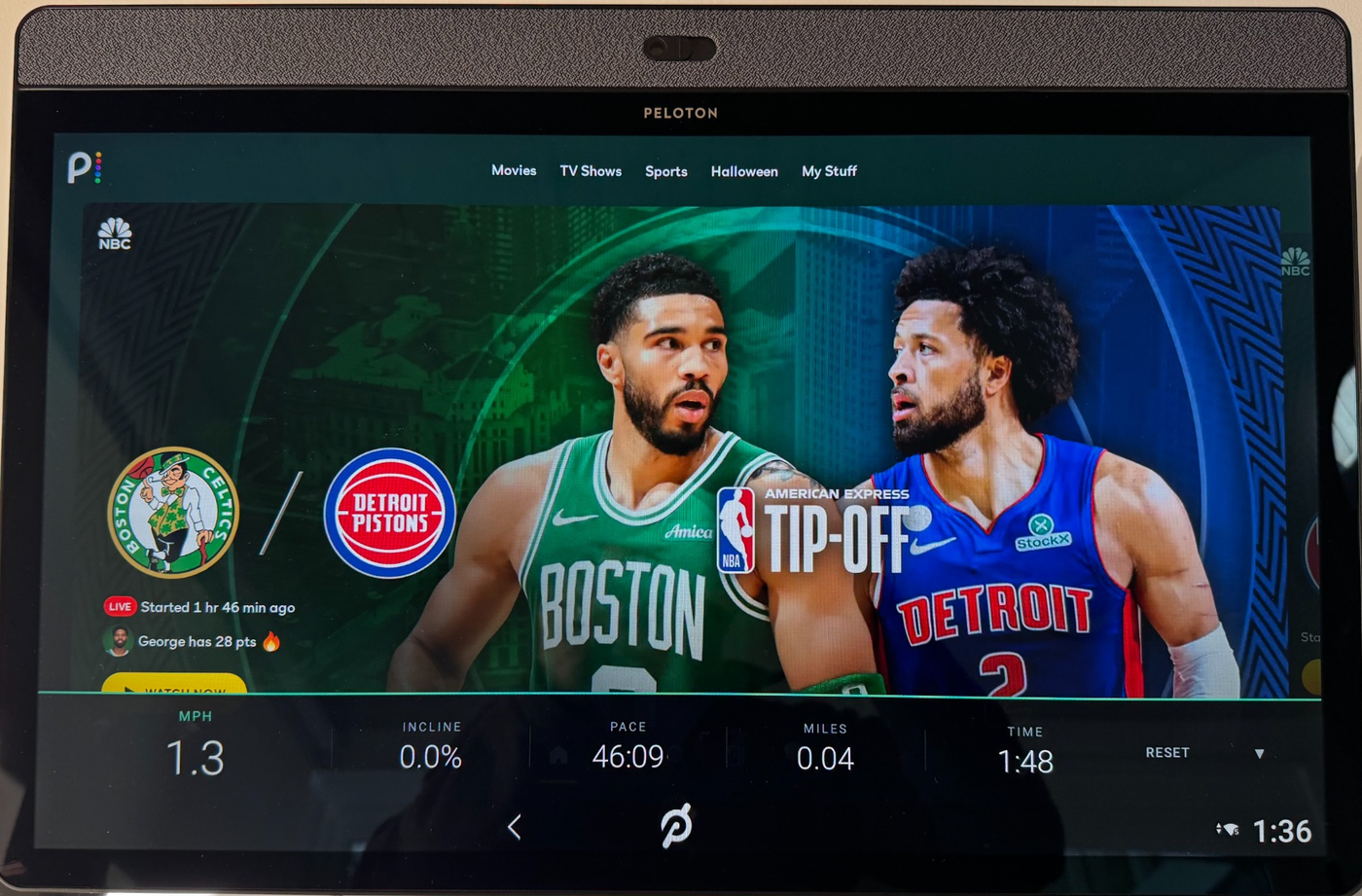
This is not the project you see from people who replace the software on a Peloton Bike. I did not unlock the bootloader. I did not flash a new system. I turned off the pieces of Peloton’s interface that were in the way.
YouTube TV was the one thing I wanted that did not work. I installed it. It sits on a spinner. It needs Google Play services, and this tablet’s Android will not keep Play services running. I stopped chasing it. The apps that were already on the machine play, and that was the actual goal.
This is my machine, and this is what I did to it. I am not Peloton, and I am not promising it works on yours. Mine is a 2021 Tread running Android 10. If you try it, the treadmill is yours, and so is the responsibility. I would pull the safety key once, with the belt moving slowly, before I trusted it.
Four hours and $38 later
The spend that mattered was model credits, $38 in Fable 5.1 Max. I tried the same job with Grok 4.7 extra high. It did not work. It could not produce the result I wanted. Fable could. I am not turning that into a slogan. It is what happened on this one use case.
If you want your Tread to do the same thing
The instructions and the code are on GitHub: MichaelCyger/Peloton-Tread.
You need a computer, a USB-C cable that actually carries data, and an AI assistant. Point the assistant at that repository. Plug the Tread in. Tell it to follow the instructions there. The repo tells the assistant what to change, what to leave alone, and how to undo it.
This page and that repository point at each other on purpose. The repository is how to do it. This post is why I did it. If you only wanted the steps, start at GitHub. If you wanted to know why someone would bother, you are in the right place.
The treadmill was never the disappointment. The screen I could not use was. Until now.